Task 4 Final Acceptance - Review and Accept

Final acceptance - review, accept, and capture lessons learned.

You are now acting as the Appointing Party (Owner). Your job is to confirm the handover is usable, organised, and aligned with the requirements - and to capture what should improve next time.

Your role - Appointing Party (Owner) Output - accepted AIM + archived non-operational files + signed project sign-off

Why this step matters

Final acceptance is where accountability becomes real. The Owner doesn’t just receive files - they accept an Asset Information Model (AIM) that should be usable for operations. Archiving non-operational content keeps the operational view clean, and lessons learned improve the next project.

What you will do

1. Review and accept the AIM

Confirm operational deliverables are present and organised - then archive non-operational items.

2. Capture lessons learned and sign-off

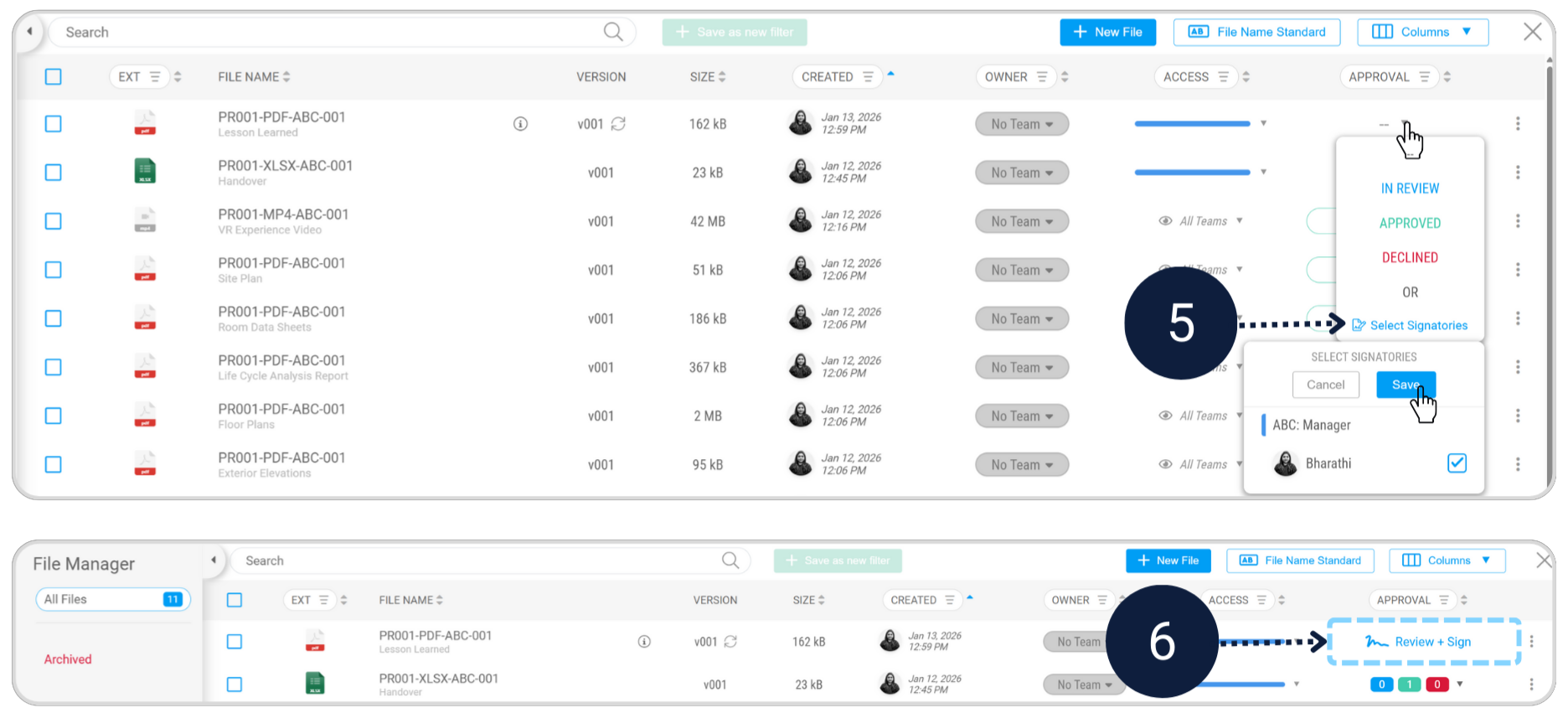
Create a simple sign-off document including lessons learned, and complete e-signature workflow.

Step 1 - Review and accept the Asset Information Model (AIM)

Module - File Manager

As the Owner, you want the handover to be operationally useful. This means the right information is visible for facilities management, and everything else is stored safely but out of the way.

Review and sign off the handover data

Review the submitted handover data in the File Manager and complete the Review & Sign action to formally accept the handover.
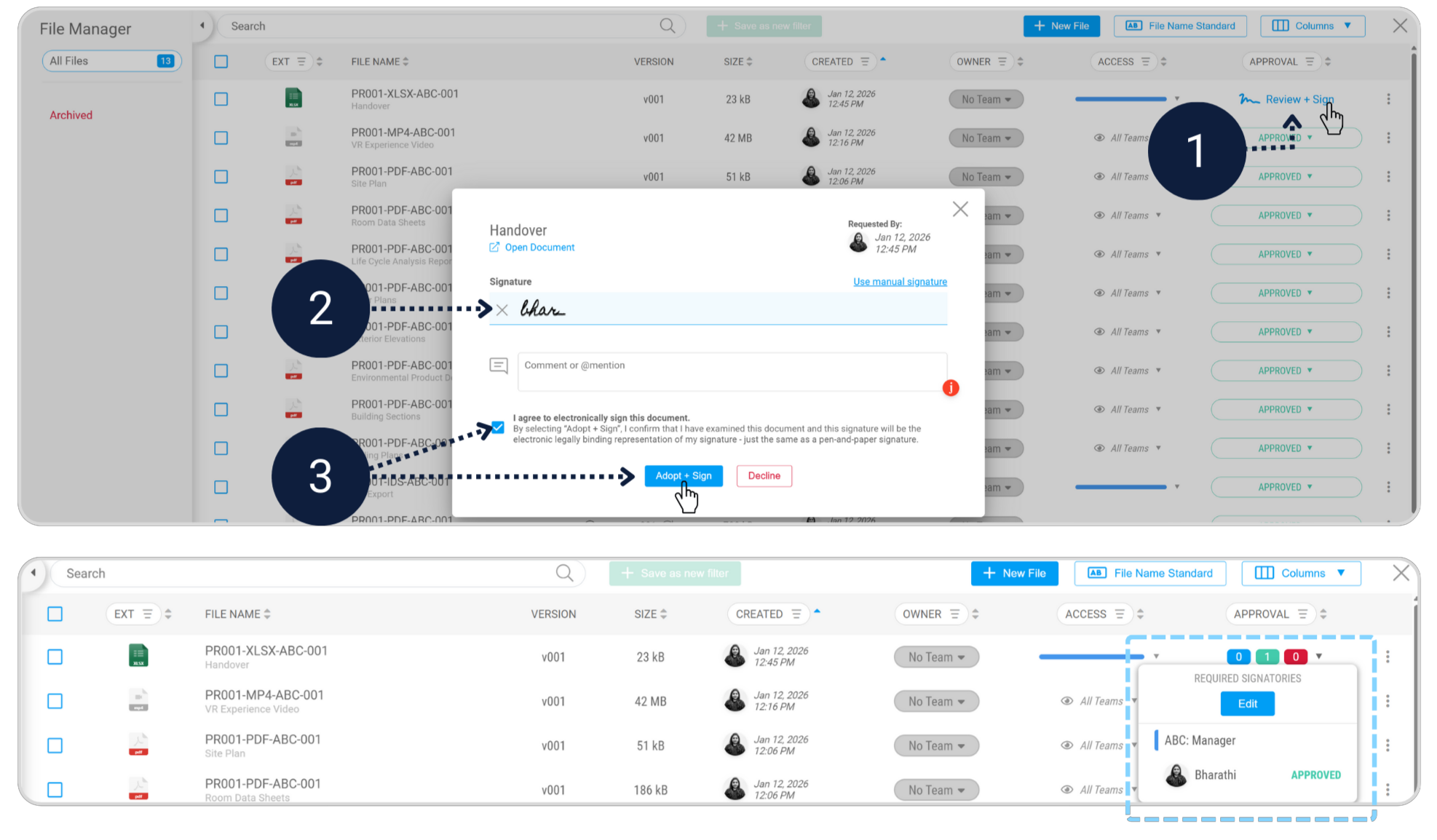
Review and Sign
Archive all non-operational files

In the File Manager, select files that are not required for the operational phase and click Archive.

Archived files are stored separately, leaving only operational documents visible for day-to-day use.
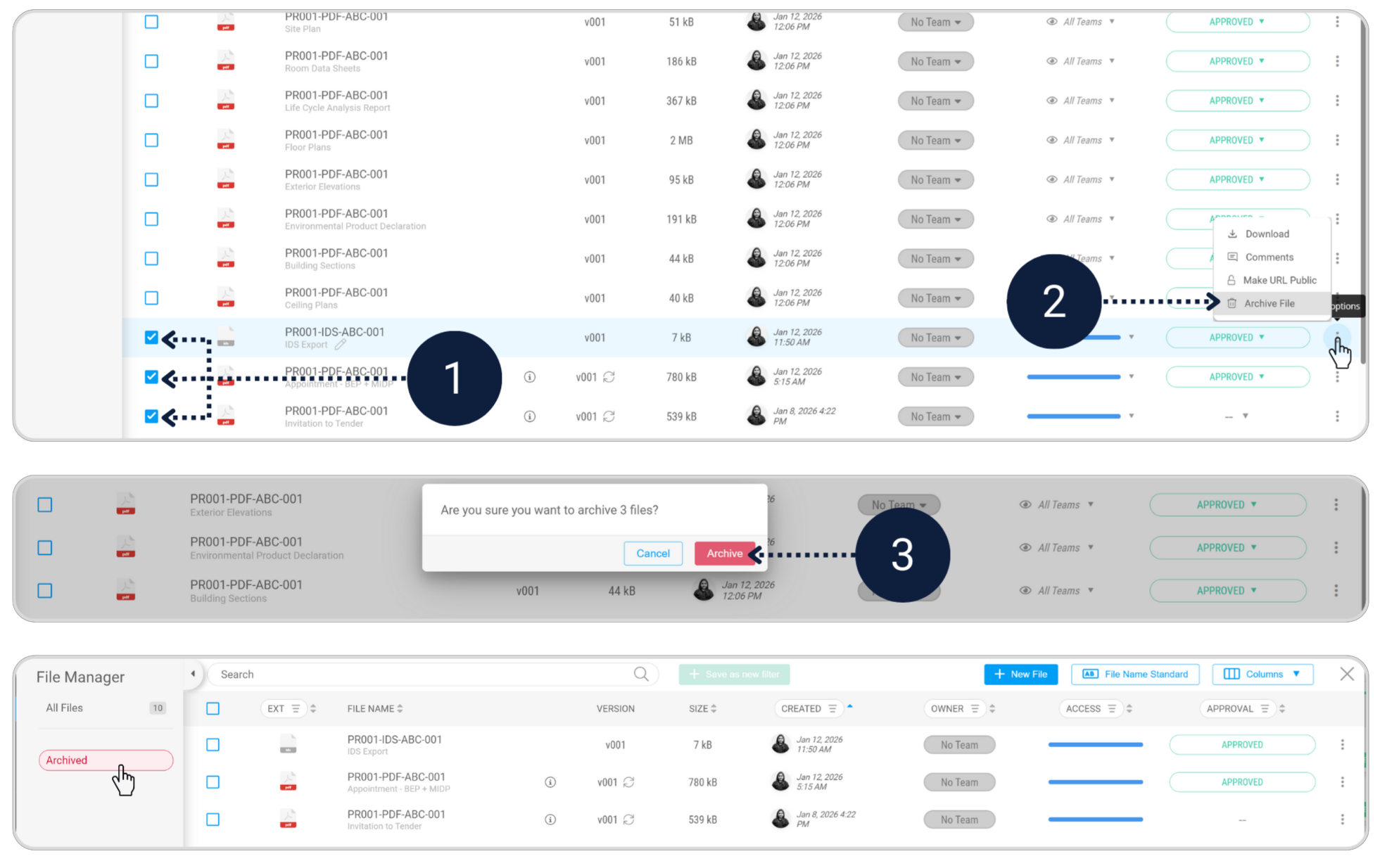
Archiving Files
Want to learn more about final verification?
View Lesson on Plannerly Academy
Step 2 - Capture lessons learned and complete sign-off

Module - Docs + File Manager

Lessons learned is how teams improve. It turns “we should do better next time” into something captured, shareable, and repeatable.

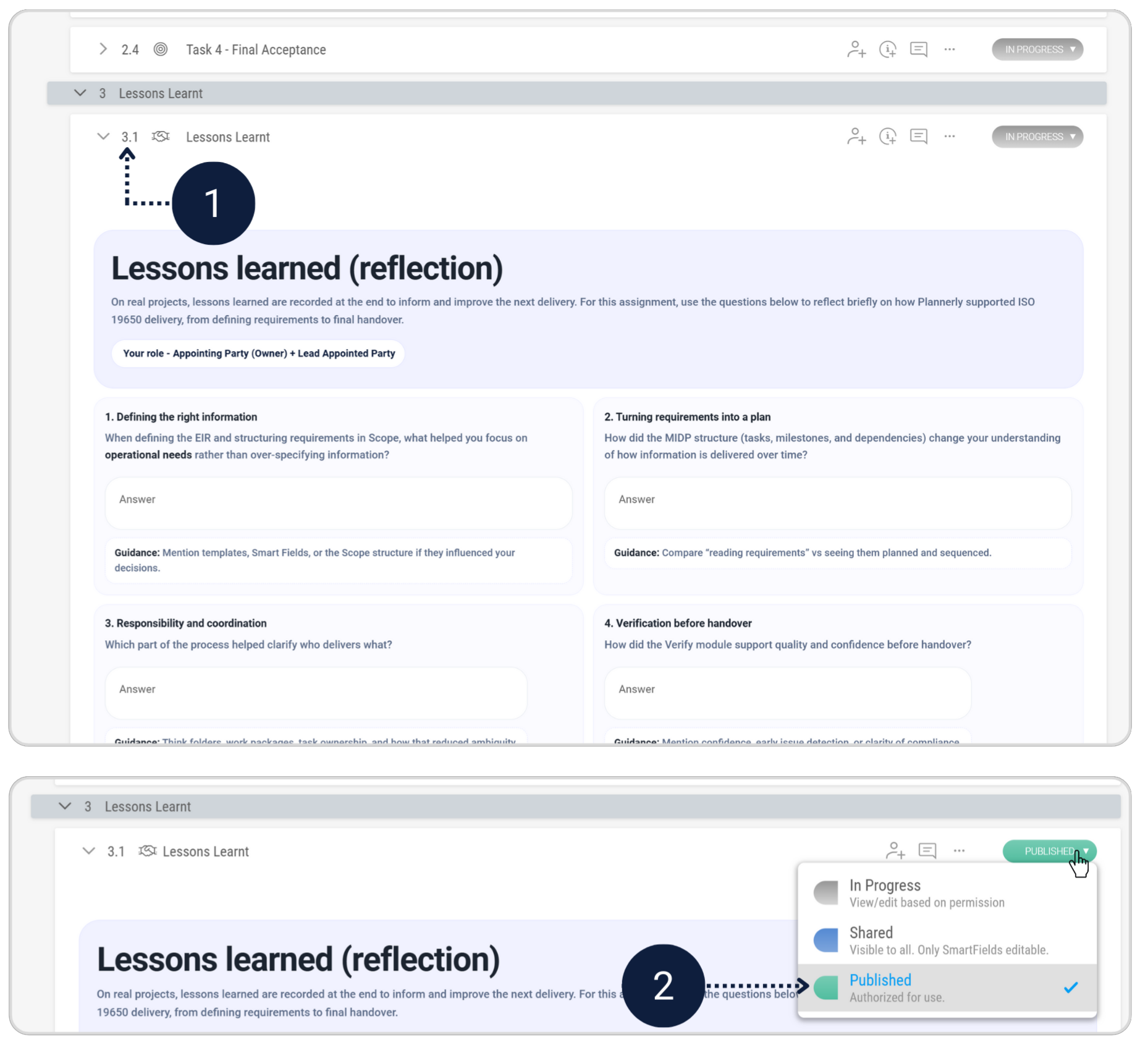
Complete the Lesson Learnt section

Answer the reflection questions in the Lessons Learned section below to capture key takeaways, then change the section status to Published.

Lessons Learned Section
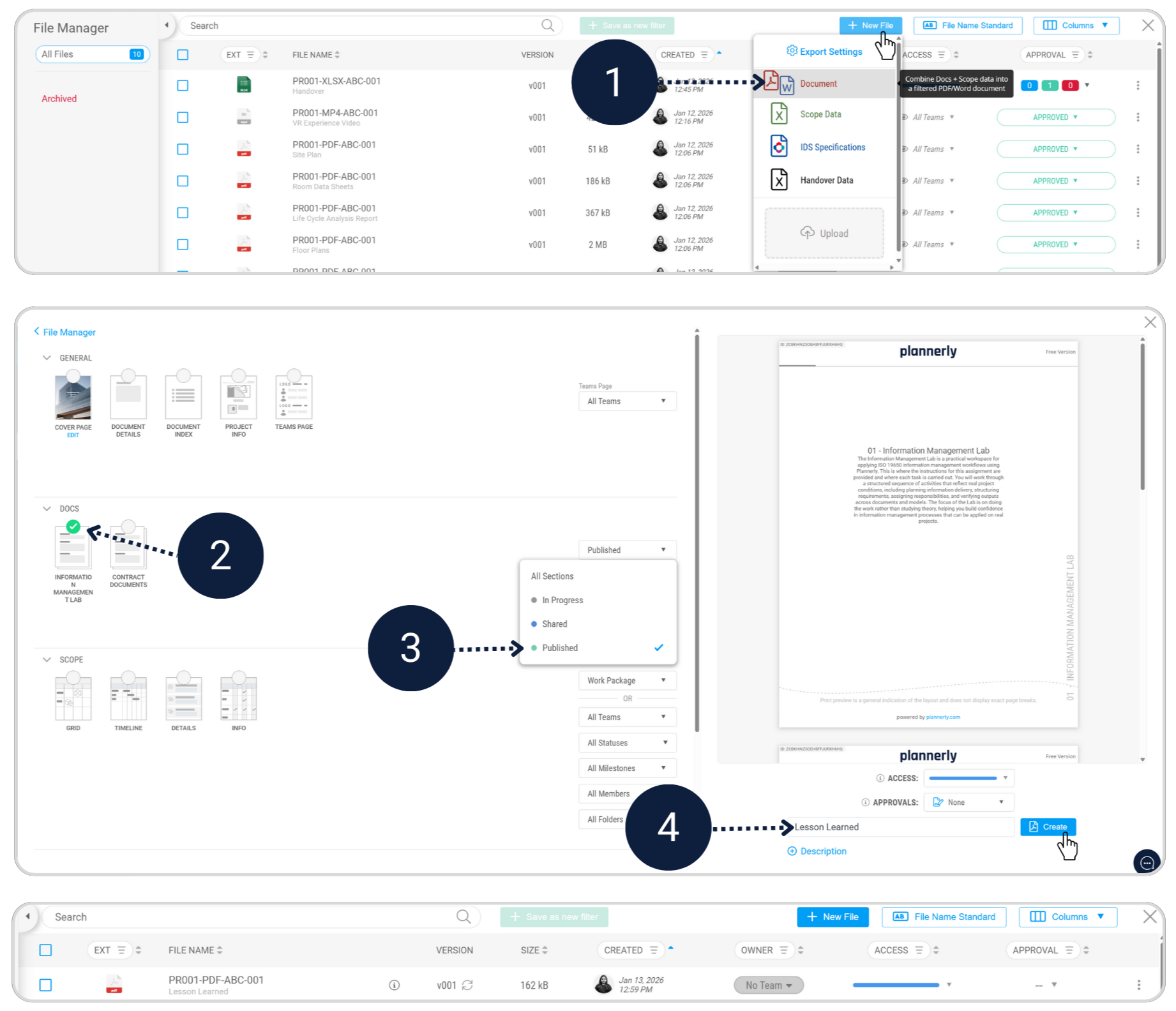
Export and complete final sign-off

In the File Manager, export the Information Management Lab document by filtering to Published sections only.

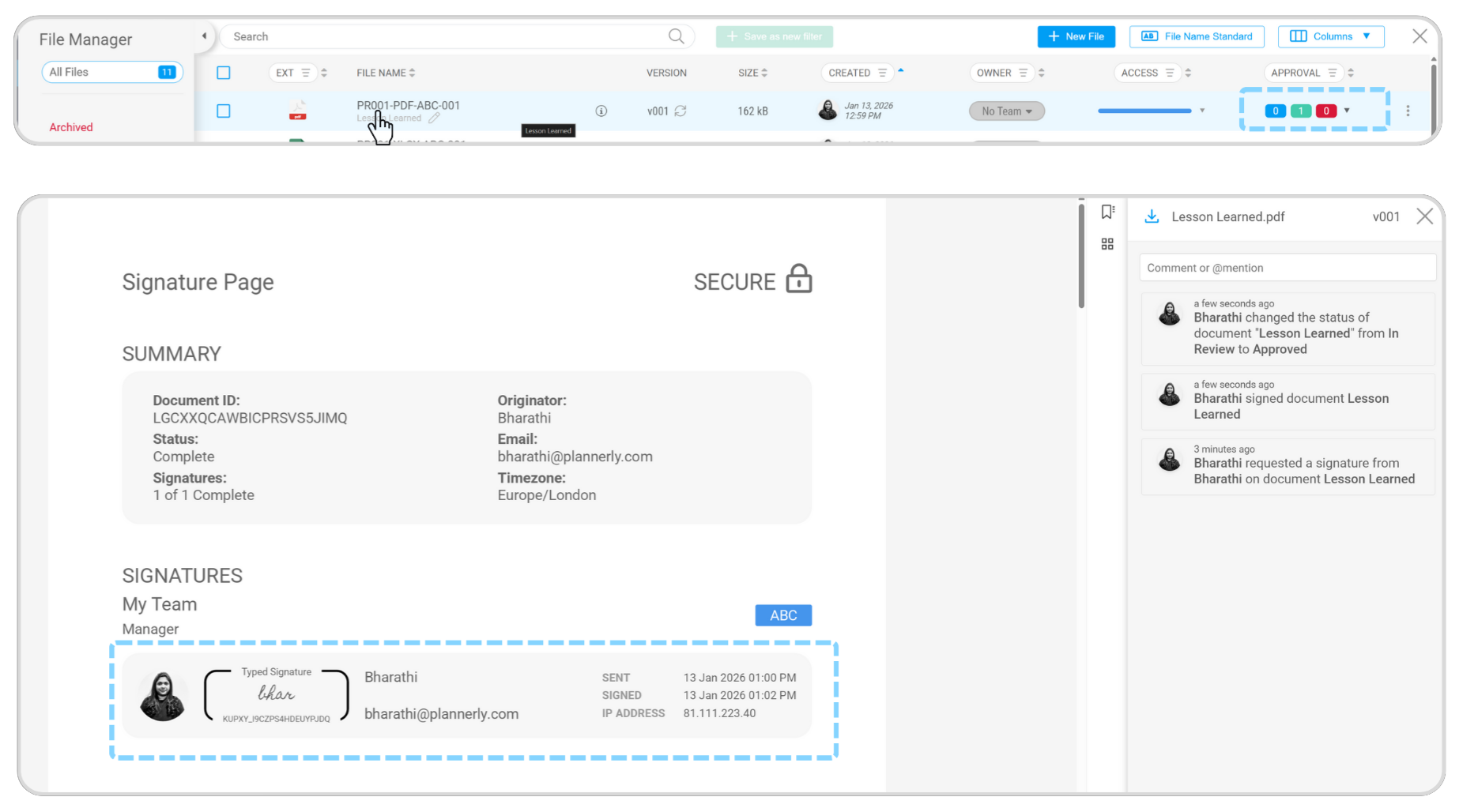
Once the signature is requested, review and sign to complete the assignment.

Exporting Document Signature Request Final Signature
How to Video - To be Uploaded
You’ve now completed the assignment and experienced how structured information, clear roles, and simple tools can transform project delivery.